3 Easy Way to Download Any Image From Google Docs
July 26, 2022 By Awanish Kumar
(Image Credit Google)
If you rely on Google Docs for writing, editing, or curating your stuff, you must go through one issue: downloading images from Google Docs.
It happens when you’ve tried downloading or saving an image from a Google Doc, and it can be more frustrating when you can’t just right-click and save.
Although there is no obvious way to download an image from Google docs, after some workarounds, we are sharing below three easy ways to download pictures from any Google Doc.
Method 1: Download the document to an HTML file
The most convenient way to download the image from Google Docs is to download the document as a compressed HTML file. You can use the following steps to do so:
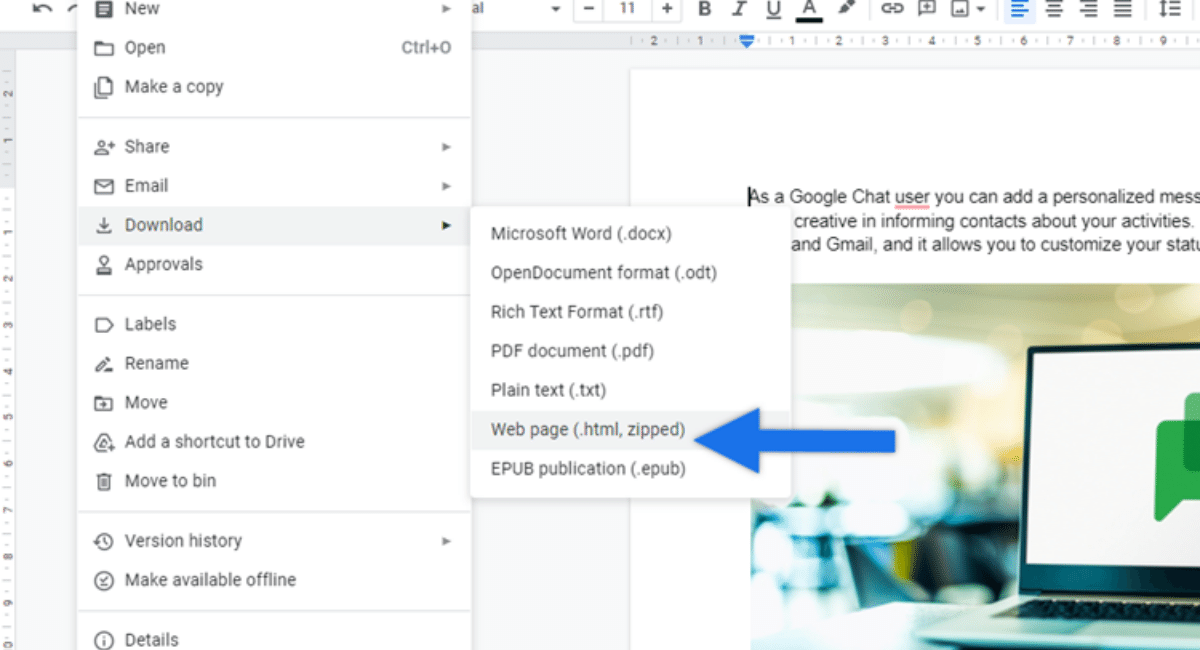
- In a Google Doc, go to File > Download > Web Page (.html, zip).
- The page will be compressed and downloaded as an HTML file when you perform the above step.
- Now, open your download folder and find a zip file with the name of your document.
- After finding the zip file, you can unzip it, and you will see the resulting folder for a subfolder named Pictures.
- Open the Pictures folder, and you will find all the images from the document.
Method 2: Publish the document on the Web
This method is more illustrative than the previous one, but you can find it helpful too.
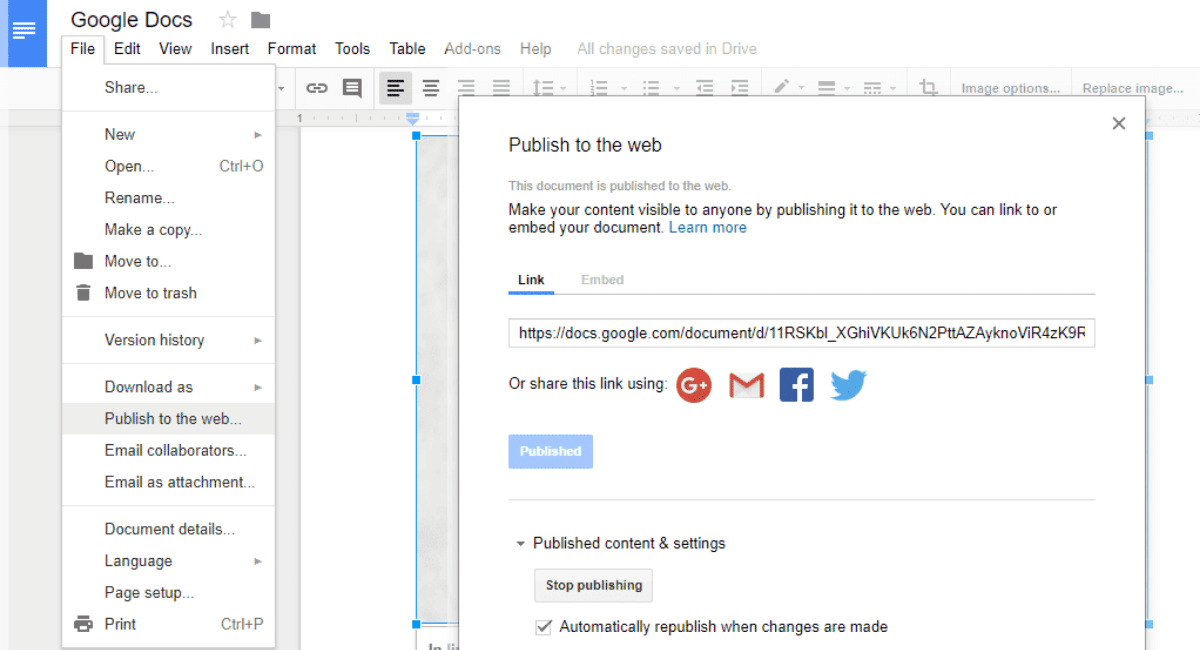
- Go to File > Share > Publish to the Web in a Google Doc.
- You will get the option to post a link to that particular document.
- Click on the Publish and tap ok when it asks you if you really want to publish the document.
- You will get the link to the webpage version of your document.
- Now on a new tab or page in your browser, paste the link of the document and press Back.
- You are ready to open any image you want and save it to your device by just tapping right-click on the image.
Method 3: Save the image to Keep, the Google notes app
However, the above images can solve your problem of downloading images from Google Docs, but here we are suggesting one more method for your concern.
- Simply, right-click on the Google Docs image you want to download.
- After that, click on the View More Actions > Save to Keep.
- After submitting the image to the Keep, you can save it to your computer by right clicking on the image for further use.
- Also, you can open Keep in a separate window. And whenever you want to download, you can do it with just one right click.
By Awanish Kumar
I keep abreast of the latest technological developments to bring you unfiltered information about gadgets.